Installation
Azure uses a CLI written in python and can be installed as follows:
- Windows users download the CLI MSI installer from the Azure github repository and install.
- YouDoCMS supports the Azure CLI on Mac. To install please see the Microsoft guide https://docs.microsoft.com/en-us/cli/azure/install-azure-cli
- After installing the CLI restart YouDoCMS and go to settings where you should see that our application has recognised that the CLI has been successfully installed.
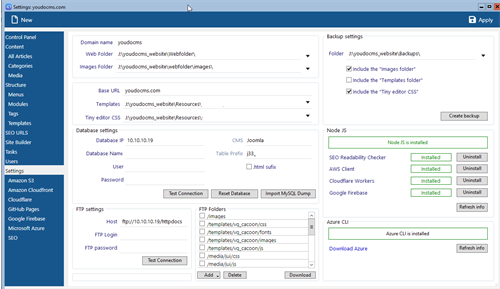
- The command line application is called by YouDoCMS to manage your Azure resources and storage including single click deployment of your static website.